

Start Your Demo Trading Journey
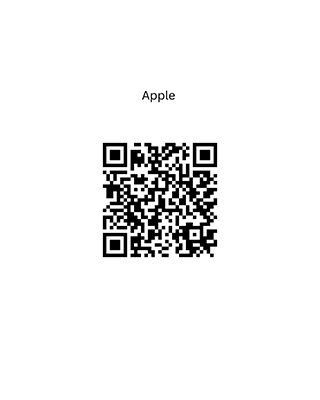
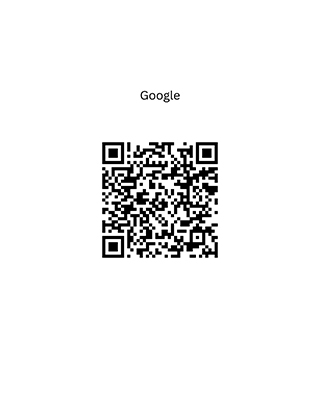
Mobile Application Setup
Open the app and choose the VIRTUAL option on the main screen to access the demo environment
Enter your details to set up your demo account. This includes name, CNIC, mobile number, and email address..
Your account details will be sent to your registered email upon successful registration.
You will be credited with 1 million in virtual funds. Use this balance to explore the platform, practice trades, and understand market movements in real time. .
Desktop Platform Access
Install the desktop iTrade terminal using the link:
Log in using the credentials shared via email after completing your mobile registration. Select the VTS Option from the dropdown menu to continue.
Access real market conditions with 1 million in virtual funds. Practice trades, explore the platform, and develop your understanding of market movements.
STEP INTO THE MARKET WITH CONFIDENCE